Fiber Registry
Splicing and OTDR in FTTH

Record the splices and OTDR measurements of every DP

Your technicians take a photo of each tray, the app reads its code and adds up the DP's splices. OTDR measurements come in with their .sor files, and in the panel you see the trace with its events. Everything ready to certify, with no paper splice sheets.

No card needed · Android · App and panel in Spanish, German and English

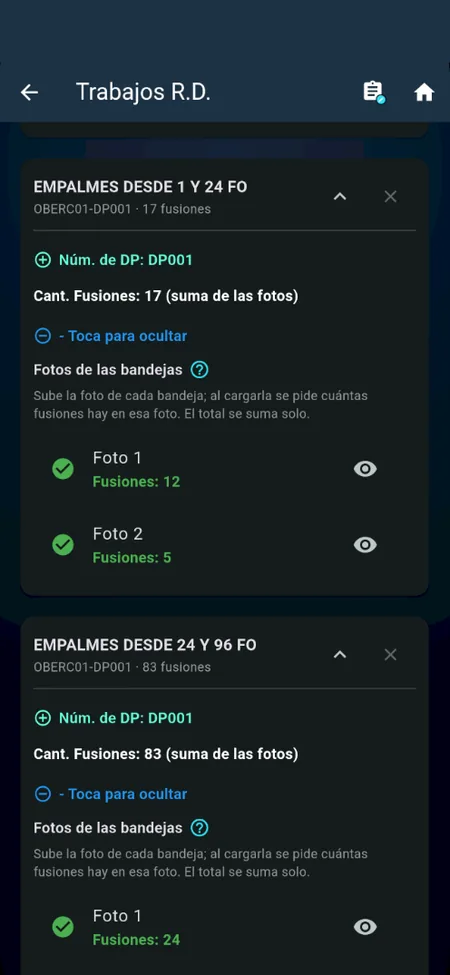
App screenshot: splices per tray
How it works

From the tray to the panel in three steps

  1. Open the DP

    The technician opens their POP and DP and picks the splicing or OTDR task from the project's catalogue.

  2. One photo per tray

    One photo per tray: the app reads the code on the label and asks how many splices it has; the total adds up on its own. For OTDR, the total number of measurements and their .sor, PDF or .zip files. With no coverage, it uploads once the signal is back.

  3. Review and certify

    In the panel you see each tray with its splices and every OTDR trace. You correct the code or the count if needed and certify it with your client's template.

What's included

Splice and test records, paper-free

One photo per tray

Up to 50 trays per splicing task, each with its photo and splices, plus POP photos and, if you like, before, after and overview shots.

The code of every tray

The camera reads the code on the label and checks it against the project's address register. If an ID repeats in the task or the DP, the app warns you.

Splicing by splice range

In FN and Backbone, each DP's splicing goes automatically to the task for its range (for example, up to 24 or up to 96 splices), with its catalogue price.

OTDR measurements with their files

The total number of measurements for each DP with their files: single .sor files, PDF reports or a .zip with the whole folder.

The OTDR trace in the panel

Every .sor, on its own or inside the .zip, is shown as a graph: splices, reflections and fibre end, with loss, reflectance, distance and A and B markers.

Ready to certify

Splices and measurements count in each DP's overview and go into the certification, with the photos and .sor files in its ZIP.

Frequently asked questions

Questions about splicing and OTDR

Do I need the OTDR software to see the measurements?

Not to view them: the panel draws the trace of every .sor with its event table and measurement data. If a device saves a .sor that isn't recognised, you download it and open it in its own software.

What if the same tray is recorded twice?

The app warns you if a tray ID already exists in the same task or repeats in the DP. A task that is already certified doesn't change: anything added goes into a new task, and the app reminds you not to repeat the same splices.

Which colour standard does it use?

The one you choose in the project: DIN VDE 0888, TIA-598 or your operator's own list of tube and fibre colours. It is used for the colours in Details and the codes in the certification.

How is splicing paid?

By splice range: in FN and Backbone, each DP's splicing goes to the task whose range includes the total of its trays, and each task has its price in the project's catalogue.

Try it with your splicing

14 days free, no card needed. If you like, we'll help you set up your project's splicing and OTDR catalogue.

More about Fiber Registry: Fibre optic work certification · Field app for fibre optic work · Splicing and OTDR records

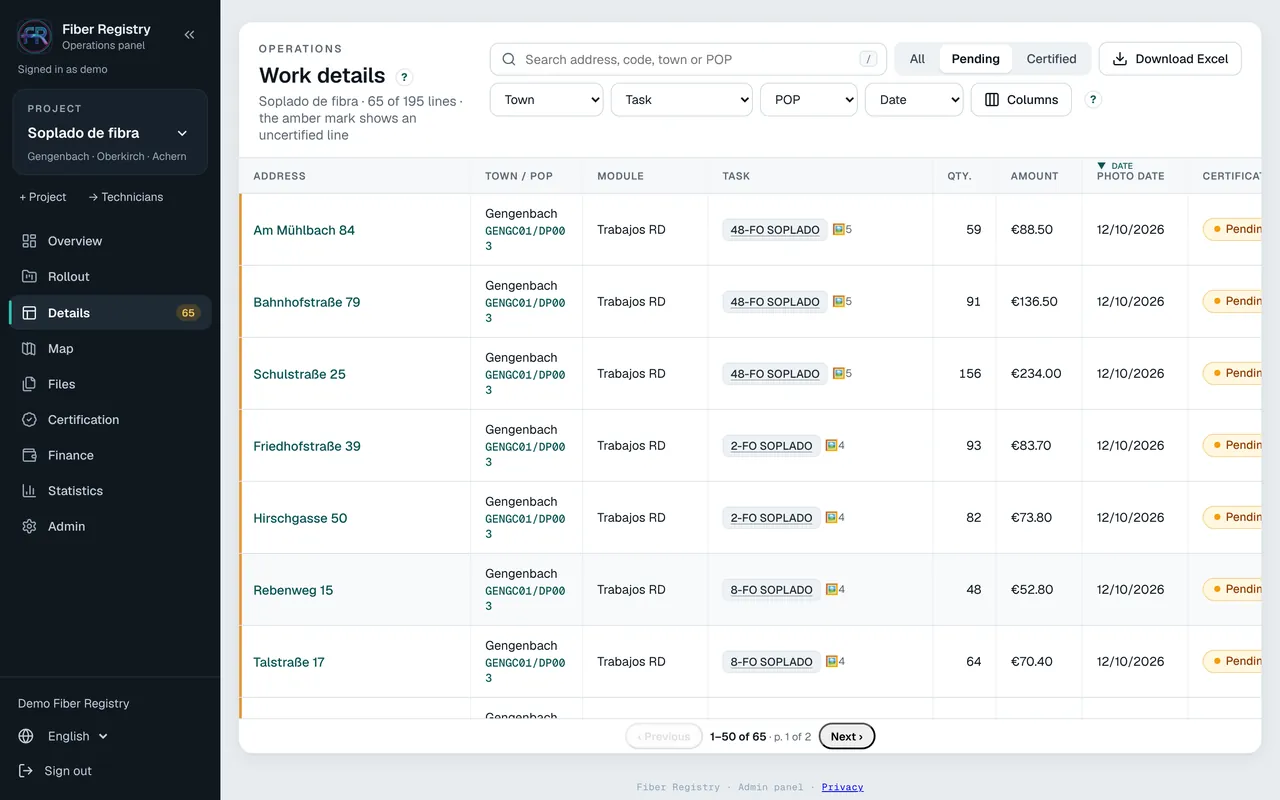
Panel screenshot: splice lines in Details App screenshot: splices per tray